
Client portal
Your company’s private gifting portal.
Send a box to one person or five hundred, see every ship day on one calendar, and follow each box to the door. Every program comes with one.
The Pacific Gift Box client portal is a private sign-in for companies on the Annual Corporate Gifting Program or The Team Connection Club. Your team sends the boxes you have reserved, and we pack, ship and track every one of them from Costa Mesa, California.
Already a client? Sign in to your portal.
Already a client? Sign in to your portal.
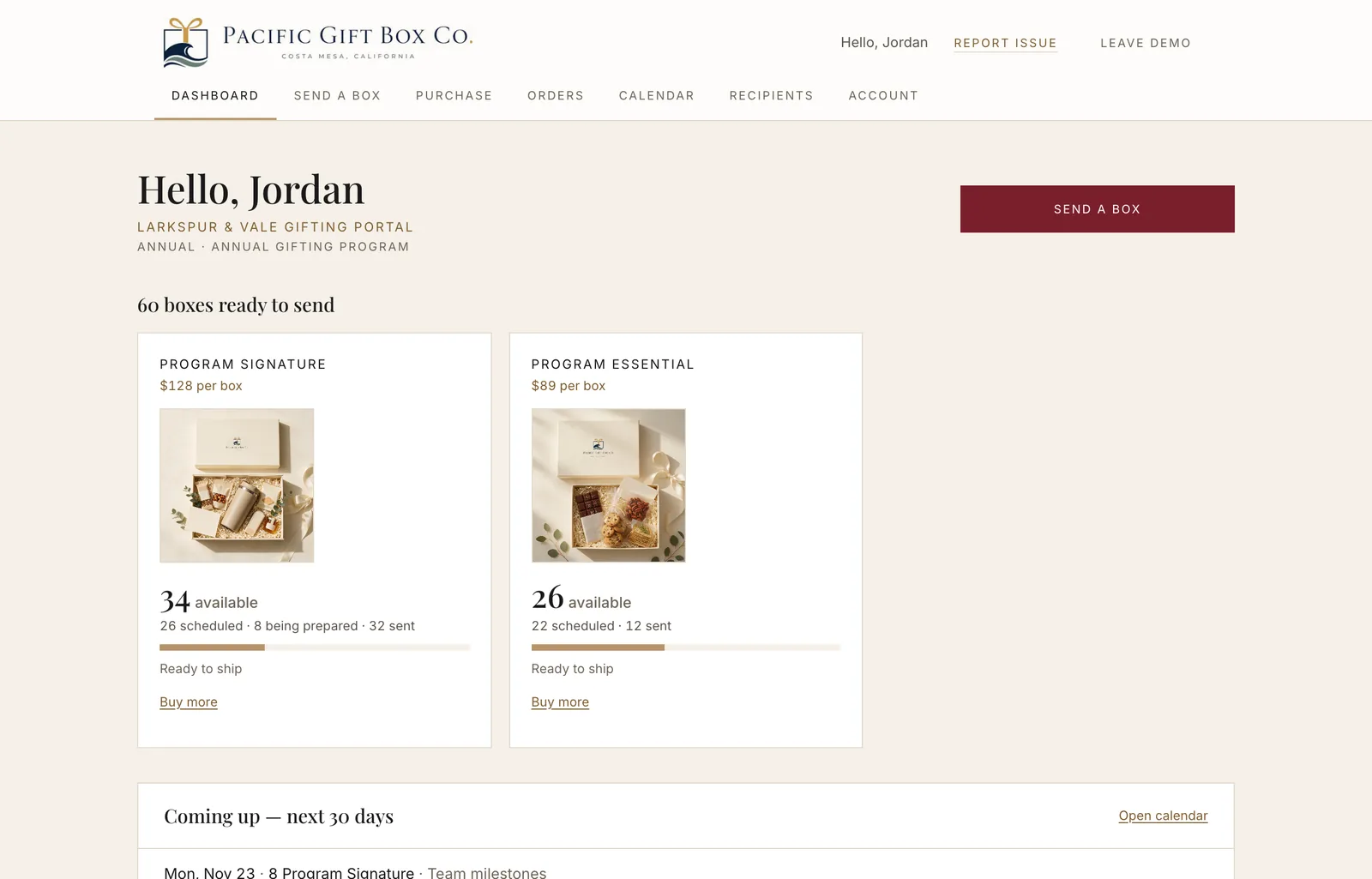
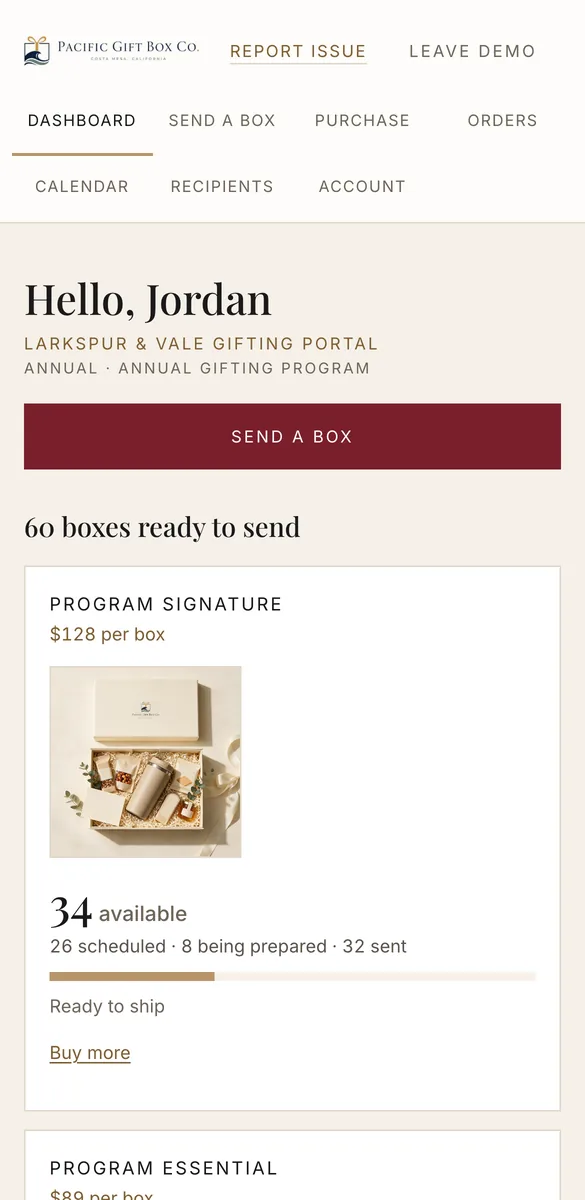
Screens from our demo company, Larkspur & Vale. Sample data only.
How it works
Three steps, and only one of them is yours.
We set it up for you.
We open the portal in your company's name, load the boxes in your program and give up to two people on your team their own sign-in.
You send when the moment comes.
One address, a spreadsheet or a saved group. Pick the box, write the note, choose the ship day.
We pack, ship and keep watch.
Every box gets its own tracking. If something goes wrong on the way, our team takes it from there.
Dashboard
Every box you have, at a glance.
The first screen answers the questions you would otherwise email us: how many boxes are left, what is booked, what is being packed and what has already gone out.
- One card per box in your program, with what is available, scheduled and sent
- What ships in the next 30 days, one click from the full calendar
- Start a send straight from it
Send a box
Send to one person, or a whole list.
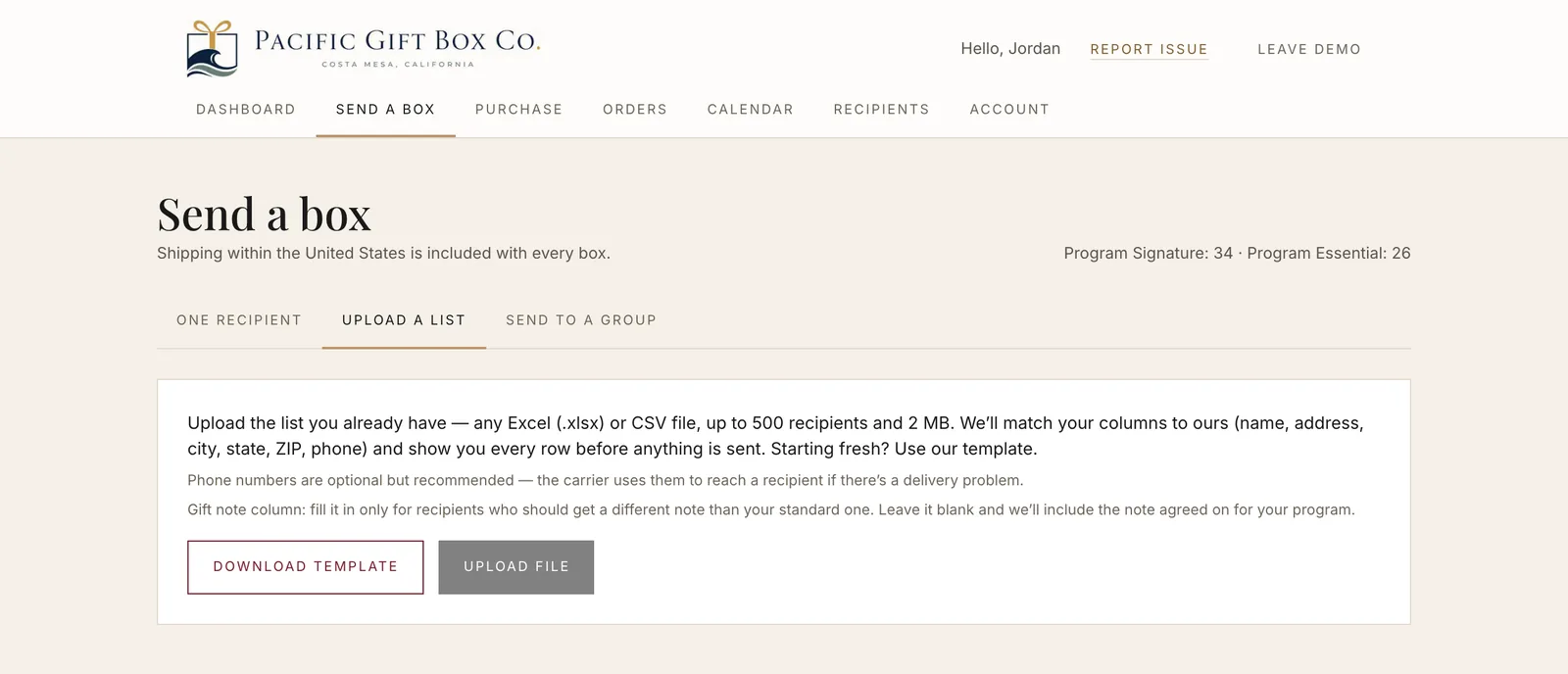
Type one address, upload the spreadsheet you already have, or send to a saved group such as a department. A list can hold up to 500 recipients, and you see every row before anything is sent.
- Excel (.xlsx) or CSV, or start from our template
- Don't have an address? Send the recipient a private link and they enter it themselves
- Write a gift note for each box and choose the day it ships
Calendar
Every ship day on one calendar.
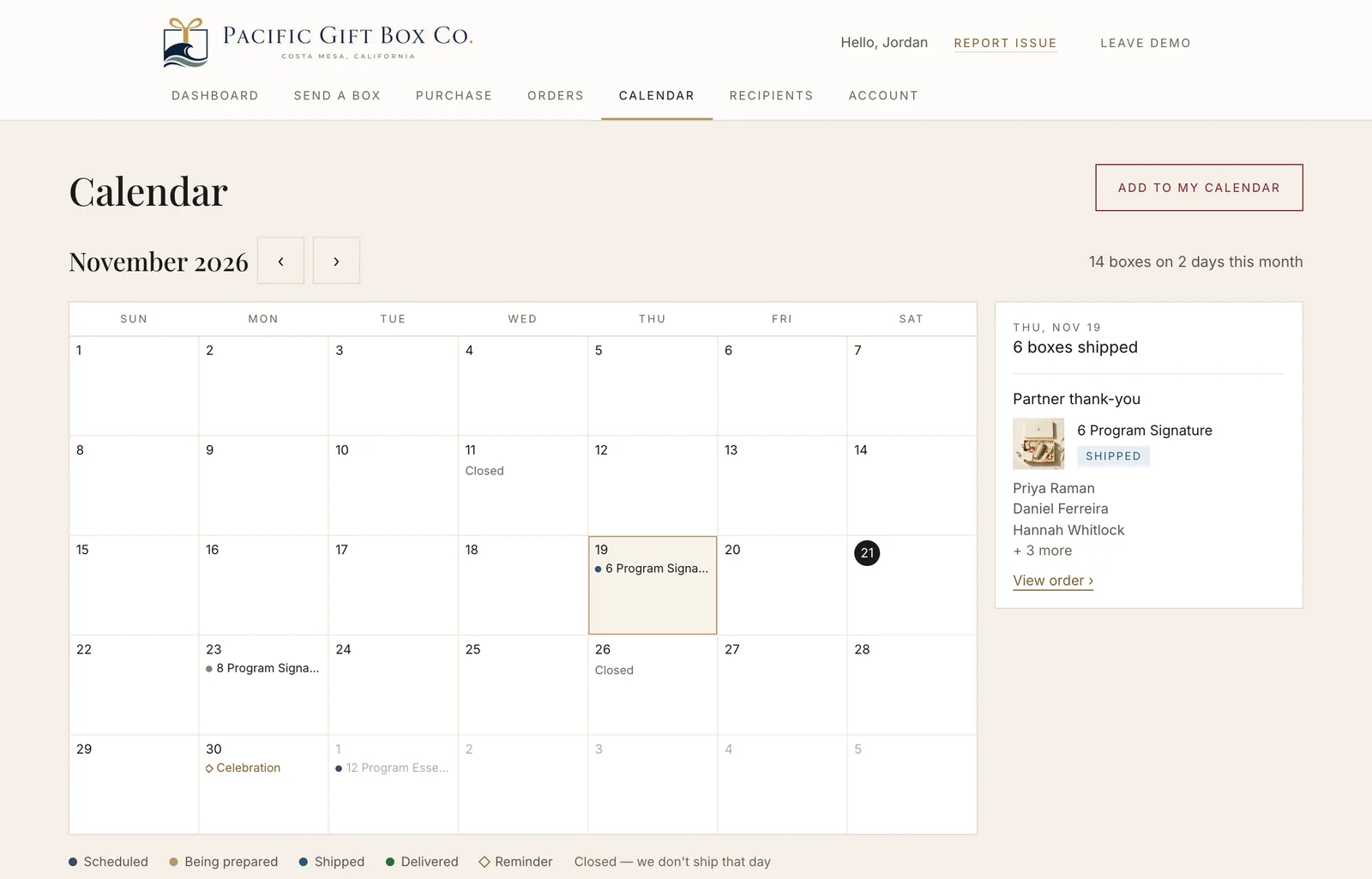
A month view of your company's gifting: what is scheduled, being prepared, shipped and delivered, plus the days we are closed and the reminders you have set. Click a day to see who gets what.
- Subscribe from Google Calendar, Outlook or Apple Calendar with a private link
- The calendar link shows box counts only, never names or addresses
Orders and tracking
Follow each box to the door.
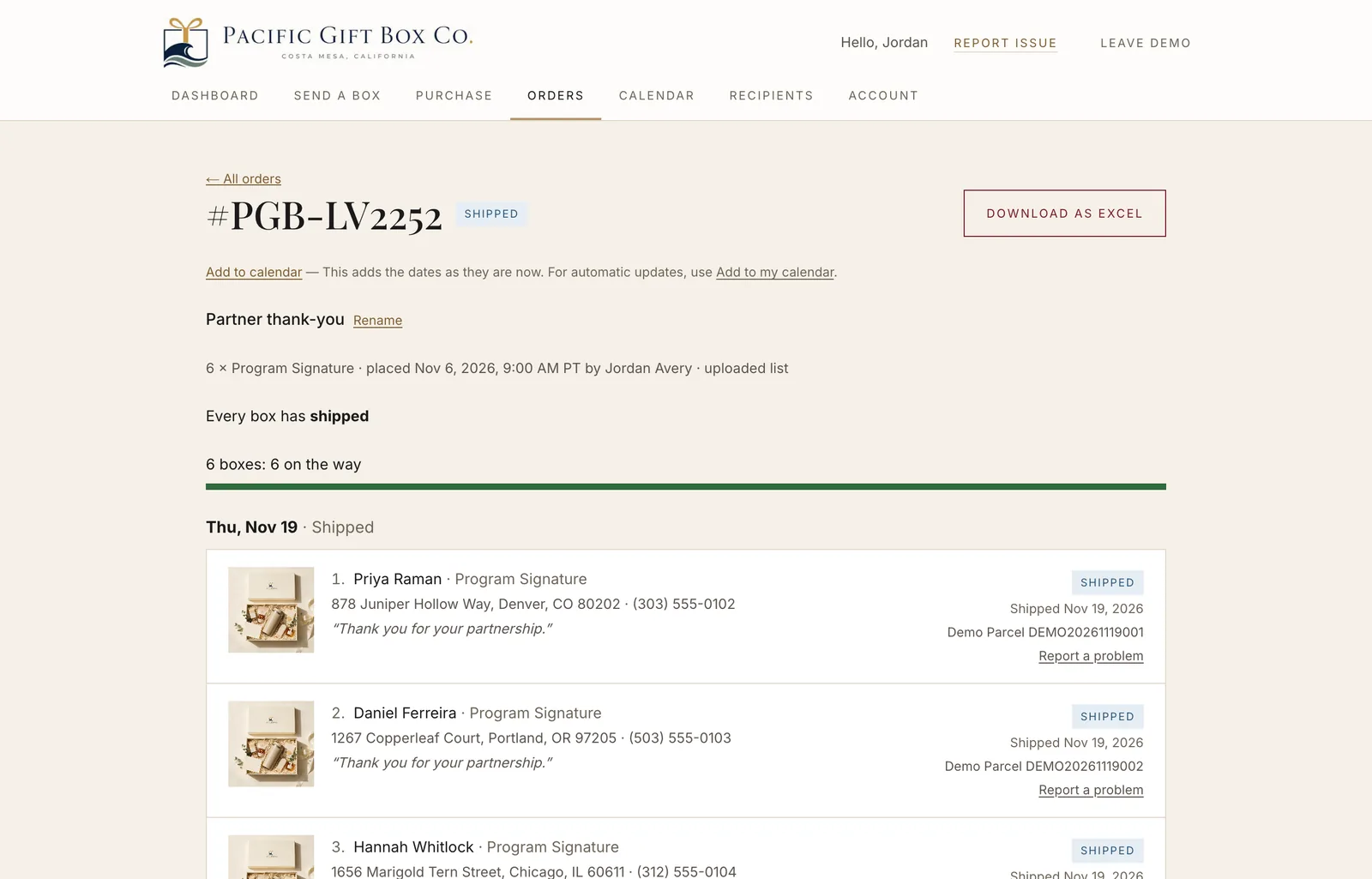
Every order lists each recipient, their box, their note and where the box is now. UPS, FedEx and USPS tracking numbers link straight to the carrier.
- Change an address or a ship date until we start packing
- Cancel within 12 hours of ordering and the credits come straight back
- Download any order as Excel, or all orders as CSV
Report a problem
Something wrong? Show us.
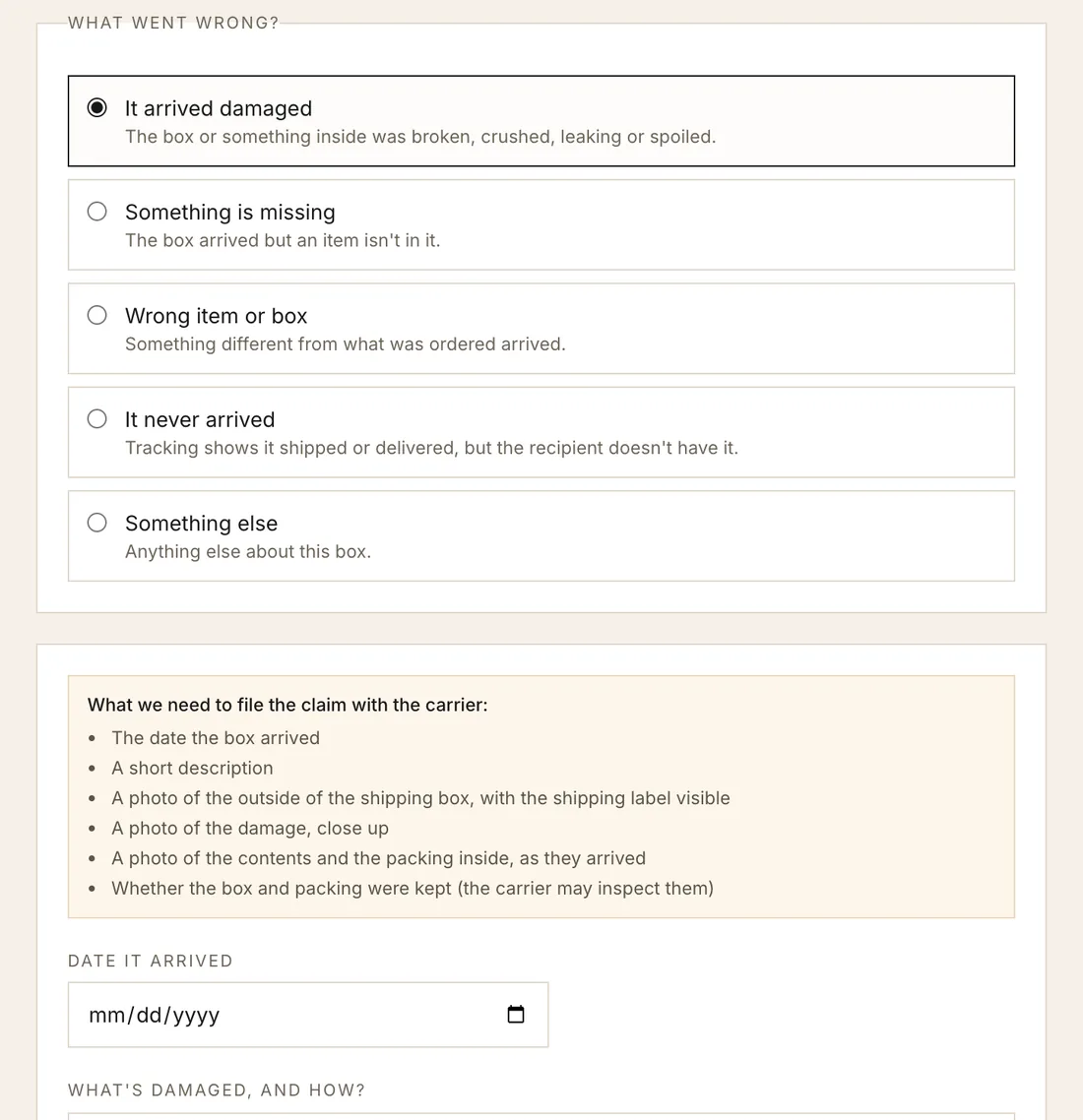
Damaged, missing an item, the wrong box or never arrived: pick the box, say what happened and add photos. The report comes straight to our team, and we take it up with the carrier.
- The form asks for exactly what a carrier claim needs, so nothing has to be chased later
- Ask us to send the box again from the same form
- When a carrier reports trouble with a box in transit, the alert comes to our team, not your inbox
Recipients and reminders
Never miss a birthday.
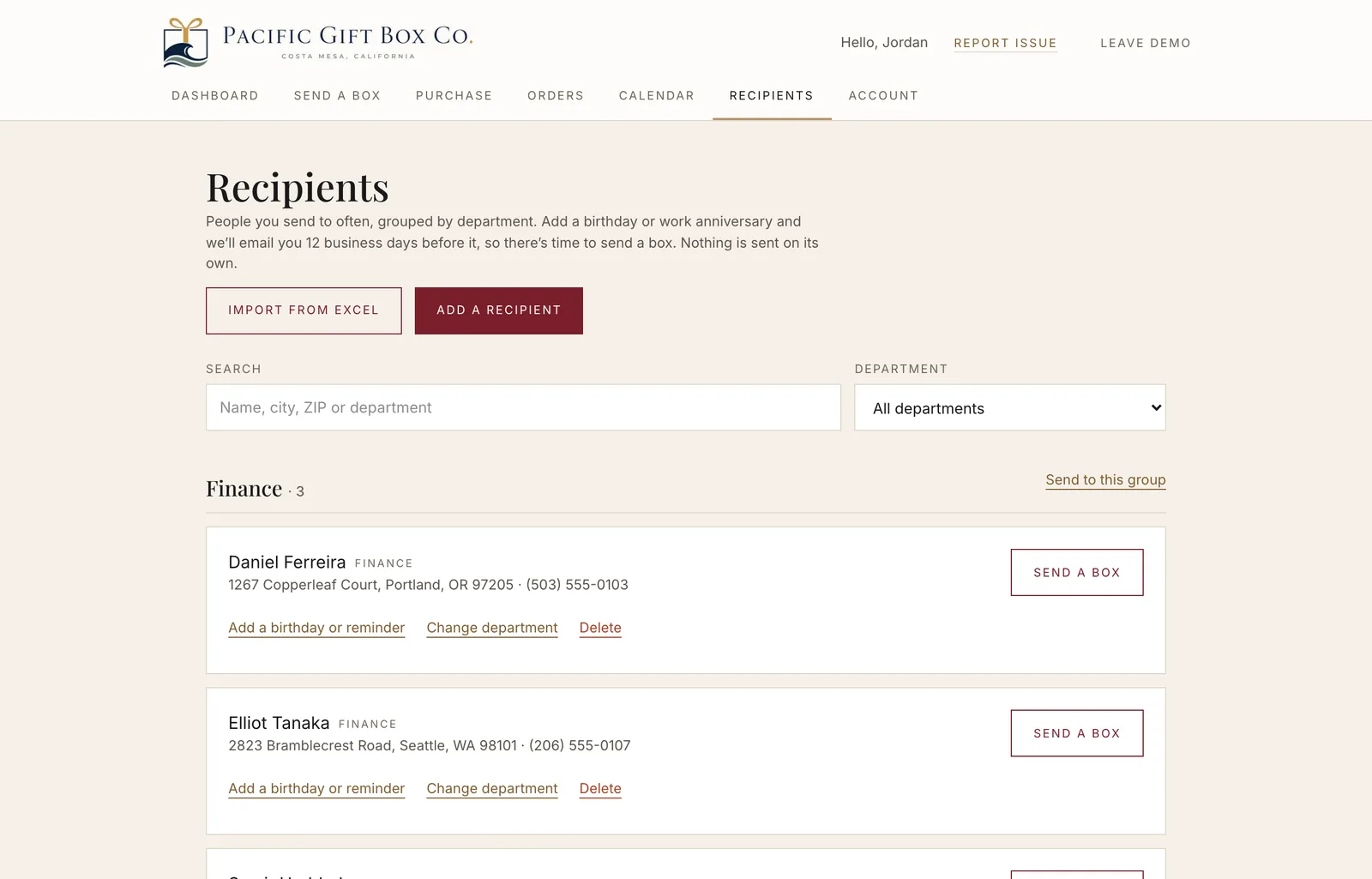
Keep the people you send to often, grouped by department, and import them from Excel. Add a birthday or work anniversary and we email you 12 business days before it, so there is time to send a box.
- Saved people are shared by everyone at your company who signs in
- Send to a whole department in one go
- Reminders only remind. Nothing is ever sent on its own
Reports
Numbers your finance team can use.
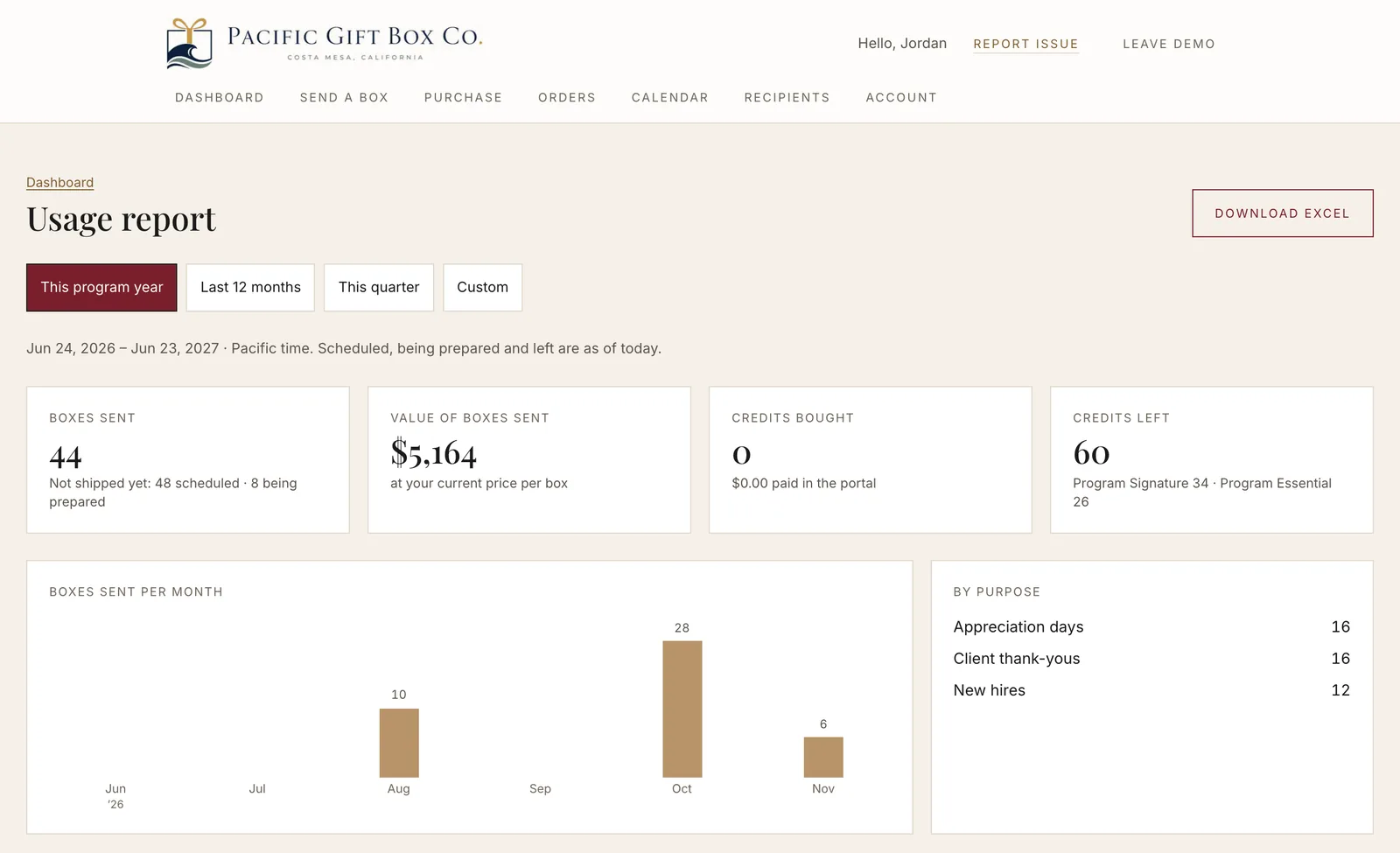
Pick the program year, the last 12 months, a quarter or your own dates. See boxes sent, their value at your price, and the credits bought and left, broken down by month, purpose, box, sender and state.
- Download the report as Excel or CSV
- Turn on a monthly report by email if you want one
What to expect
Simple on purpose.
Up to two people per company
Each with their own email and password. Everyone can do everything: there are no roles to manage. We do not offer single sign-on (SSO). To add a colleague, email hello@pacificgiftbox.com.
Your data stays yours
Each company sees only its own boxes, orders, people and reports. Nothing from another company is ever shown.
Credits, one per box
Every box you send uses one credit. On the Annual program you can buy more in the portal by card or US bank account; we add them once the payment is confirmed.
US addresses only
Boxes ship to addresses in the United States, with US shipping included in every program box.
Recipients never sign in
If you send a private address link, the recipient enters their address on a simple page. They see who it is from, never your credits or other recipients.
A person behind it
Questions about an order go to hello@pacificgiftbox.com, and every order page has a way to contact us about it.
The recipient’s side is a page of its own, and it needs no account. See the page a recipient opens.
Which programs include the portal
Annual Corporate Gifting Program
Reserve your gifts for the year and send them as the year happens. The portal holds your credits, lets you buy more and request a quote for a new box.
See the program ›The Team Connection Club
A different experience box for the whole team every month. The portal shows your year month by month and the list each box goes to.
Questions
What buyers ask about the portal
Who at our company can sign in?
Up to two people per company, each with their own email and password. Both can send, see every order and download every report; there are no roles or permission levels, and there is no single sign-on (SSO). To add or change a person, email hello@pacificgiftbox.com.
Can another company see our orders or recipients?
No. Each company's portal shows only that company's boxes, orders, saved people and reports. Your sign-in cannot open another company's data, and theirs cannot open yours.
Do our recipients need an account?
No. Recipients never sign in. If you don't have someone's address, the portal sends them a private link where they enter it themselves, and you see only their city and state.
What happens if a box arrives damaged or never arrives?
Open the order, choose Report a problem, pick the box and add photos. The report comes straight to our team, we take it up with the carrier, and you can ask us to send the box again from the same form. When a carrier flags trouble with a box in transit, that alert comes to our team as well.
How do we get more boxes, or a different box?
On the Annual Corporate Gifting Program you can buy more credits in the portal by card or US bank account, and we add them once the payment is confirmed. For a new or custom box, request a quote from the portal; custom boxes start at 50.
Is the portal different on The Team Connection Club?
Yes. The Club portal shows your year month by month: the boxes already delivered, this month's box being packed and the months ahead. Each month's box is booked for everyone on your list, so there are no credits to buy, and reports show counts.
Can we look around before we sign up?
Yes. The demo signs you in to a sample company, Larkspur & Vale, with a full year of orders, recipients and reports. It is read-only: nothing you do in it is saved or sent.
The recipient’s side is a page of its own, and it needs no account. See the page a recipient opens.
The demo
Click through a real portal before you decide.
A sample company with a year of orders, recipients and reports. Read-only, so nothing you do is saved or sent.
Talk to us
See it with your own boxes.
Tell us about your program and we’ll set up your portal. Prefer email? Write to hello@pacificgiftbox.com.
Your gifting program
Who you send to, roughly how many boxes a year, and when. We reply within one business day.